Best Always-On Display App for Android
Always-On Display, commonly known as AOD, is a useful feature that lets you see important information such as the time, date, battery status and notifications without fully turning on your phone’s screen.
However, not every Android smartphone comes with a built-in Always-On Display feature. That’s where third-party apps can help. Among the available options, Muviz Edge: AOD & Edge Lights is one of the most interesting choices, especially for users who want both an Always-On Display and plenty of customization options.
What Is Muviz Edge?
Muviz Edge is an Android customization app that brings an Always-On Display and edge lighting experience to your smartphone.
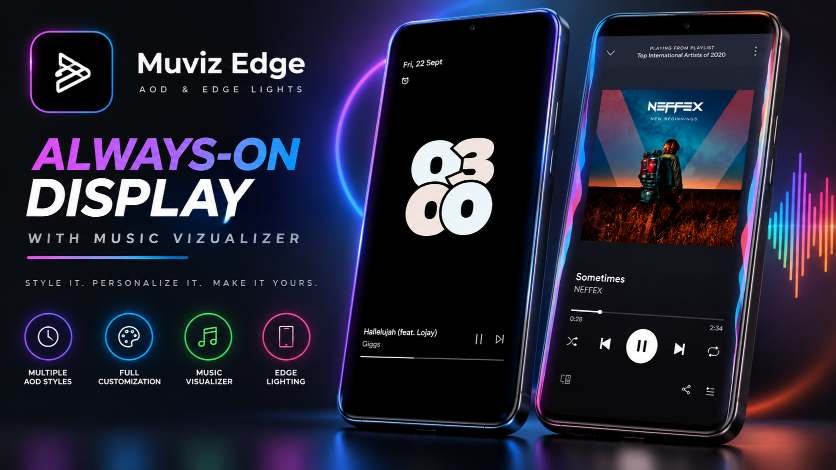
And it’s not just about showing the time. You can choose from different AOD styles, colors, clock designs, and visual effects to create a look that matches your style.
Why Should You Use Muviz Edge?
If your phone doesn’t have a built-in AOD, Muviz Edge can be a useful alternative.
You get:
- Different AOD styles
- Custom colors
- Multiple clock designs
- Pixel- and iOS-inspired styles
- Edge lighting effects
So, whether you prefer a simple clock or a more stylish and eye-catching display, there are plenty of options to explore.
How to Install Muviz Edge
Step 1:
Open the Google Play Store.
Step 2:
Search for “Muviz Edge“
Step 3:
Tap Install.
Step 4:
Open the app and allow the required permissions.
Customize Your Always-On Display
This is where Muviz Edge gets interesting. Choose your favorite AOD style and start customizing it. You can change the colors, clock style, and overall appearance to create a look that feels more personal. Want something minimal? Go for a simple clock. Want something more eye-catching? Pick a colorful or animated design. You can even choose an AOD style that matches the overall look of your lock screen.
More Than Just an AOD App
Muviz Edge isn’t limited to Always-On Display. It also comes with an Edge Music Visualizer, which can show animated lighting around the edges of your screen while music is playing. So, with one app, you get AOD, customization, and edge lighting in one place.
Conclusion
If your Android phone doesn’t have a built-in Always-On Display, Muviz Edge is definitely worth trying. It adds an AOD experience while giving you plenty of ways to change the style, colors, and overall look. Want to make your phone’s display more useful and more stylish? Muviz Edge is a great app to start with.